> ## Documentation Index
> Fetch the complete documentation index at: https://docs-dev-feat-docs-5540.mintlify.site/llms.txt
> Use this file to discover all available pages before exploring further.

> Learn how to test enterprise connections for applications using the Auth Dashboard.

# Test Enterprise Connections

You can test enterprise connections for applications using Auth0's Dashboard.

To properly test, you should have already [set up your enterprise connection](/docs/authenticate/identity-providers/enterprise-identity-providers/enable-enterprise-connections).

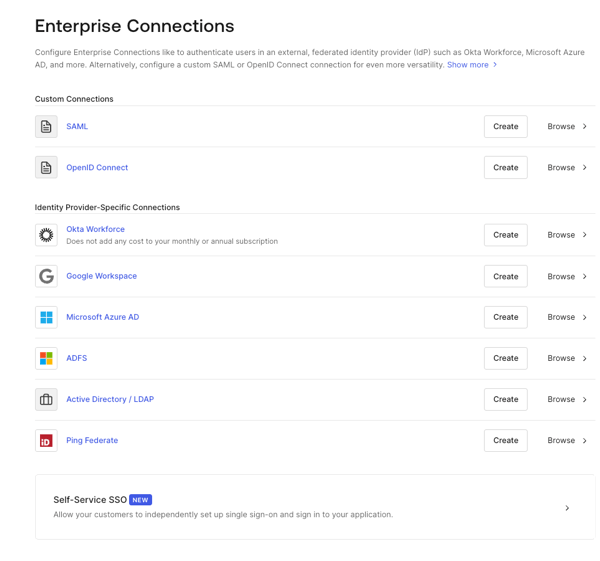
1. Navigate to [Auth0 Dashboard > Authentication > Enterprise](https://manage.auth0.com/#/connections/enterprise), and select the connection type to view.
   <Frame>
     <img src="https://mintcdn.com/docs-dev-feat-docs-5540/o4zv_cTW-3w9L5EW/docs/images/cdy7uua7fh8z/1fSTcrZpkgkPR64NnI1lr8/b3454e60a4463e99353603fd11a71983/Enterprise_Connections_-_EN.png?fit=max&auto=format&n=o4zv_cTW-3w9L5EW&q=85&s=de7ee027c168a3a7512f7998f343e914" alt="Dashboard - Connections - Enterprise" width="600" height="561" data-path="docs/images/cdy7uua7fh8z/1fSTcrZpkgkPR64NnI1lr8/b3454e60a4463e99353603fd11a71983/Enterprise_Connections_-_EN.png" />
   </Frame>
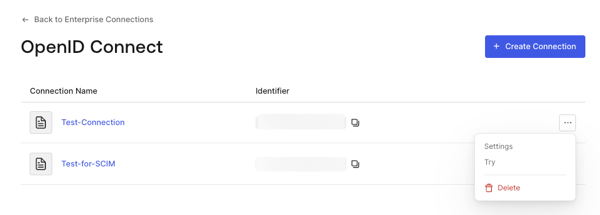
2. Select the **Try** arrow next to the connection you want to test.
   <Frame>
     <img src="https://mintcdn.com/docs-dev-feat-docs-5540/o4zv_cTW-3w9L5EW/docs/images/cdy7uua7fh8z/1sxfMEARFGmA6cPMlWkx3c/4c0bd4a009df0b7f40a645613d3c723f/oidc-connection-try.png?fit=max&auto=format&n=o4zv_cTW-3w9L5EW&q=85&s=2125aa0e500f2ccf1d8ec94b045a6bd3" alt="Dashboard - Connections - Enterprise - AD/LDAP - List" width="600" height="215" data-path="docs/images/cdy7uua7fh8z/1sxfMEARFGmA6cPMlWkx3c/4c0bd4a009df0b7f40a645613d3c723f/oidc-connection-try.png" />
   </Frame>
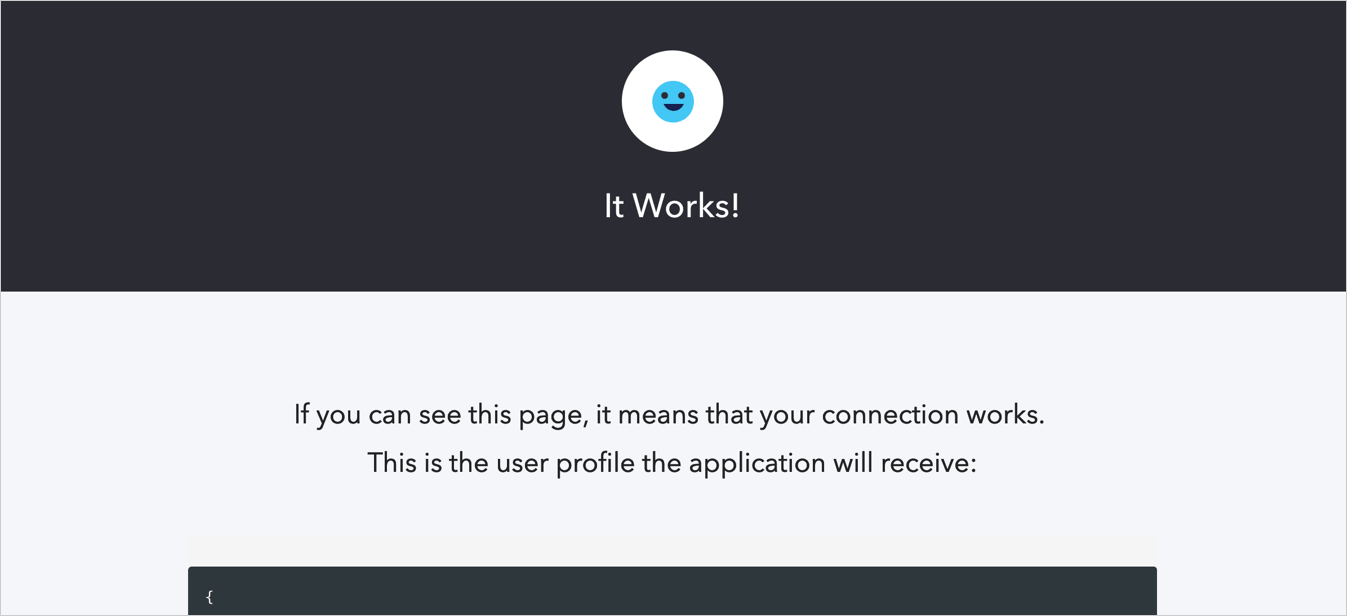
3. Log in and consent to allow access to your app. If you have configured everything correctly, you will see the **It Works!** page.
   <Frame>
     <img src="https://mintcdn.com/docs-dev-feat-docs-5540/RbW94J0Lv-5xi2i1/docs/images/cdy7uua7fh8z/5DWJWLf8zvZJH0rSlhK0cr/f33377edf6f82f17e11e08ec30d8d75a/connection-social-try-success.png?fit=max&auto=format&n=RbW94J0Lv-5xi2i1&q=85&s=66233cb7c5065f2cdff5029944eb5c5a" alt="Dashboard - Connections - Database - Try - Success" width="1347" height="616" data-path="docs/images/cdy7uua7fh8z/5DWJWLf8zvZJH0rSlhK0cr/f33377edf6f82f17e11e08ec30d8d75a/connection-social-try-success.png" />
   </Frame>
